

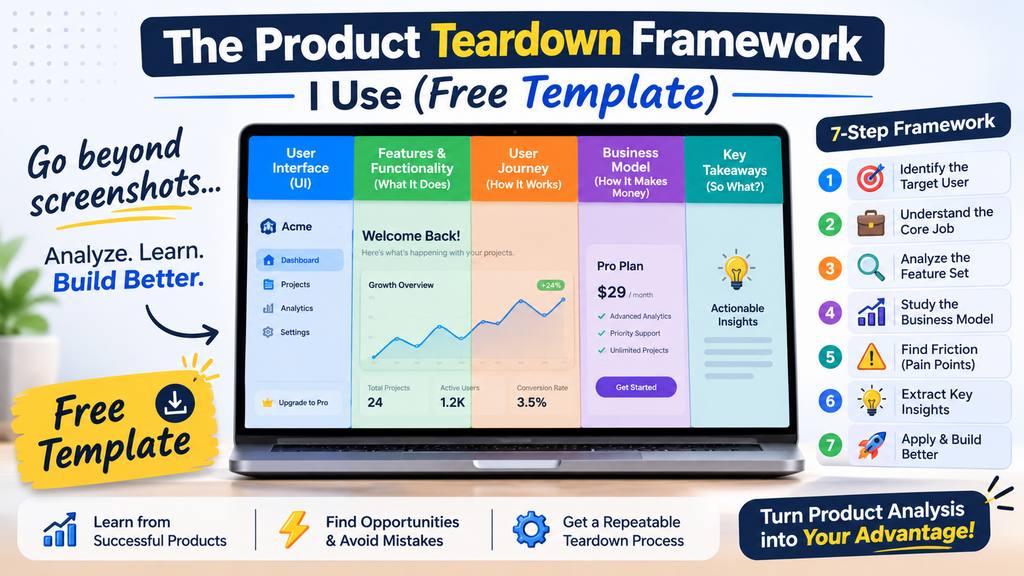
Most product teardowns are just opinions with screenshots. “I like the clean design.” “The pricing page is confusing.” Fine, but so what? Nothing in that tells you what to build, what to copy, or what to avoid.
When I tear down a product, I look at it the way a Product Owner would: Who is this for, what job does it do, where does it lose people, and how does it make money?
To keep every teardown consistent, I use the same 7-step framework each time. This post walks through it, and at the end there’s a free template you can copy and use on any SaaS product, especially micro-SaaS tools where the whole business fits in a few screens.
Why You Need a Framework
Without a structure, teardowns drift toward whatever you happen to notice first, usually visual design. A framework gives you three things:
- Consistency: you can compare two products side by side because you asked both the same questions.
- Evidence over taste: every critique is tied to a user goal, a metric, or a business outcome.
- Reusable insight: patterns repeat across products, and you only spot them when your notes are structured.
The 7-Step Product Teardown Framework
Step 1: Context and Job-to-Be-Done
Before touching the product, write down in one sentence: “[Target user] hires this product to [job] so they can [outcome].”
Then capture the basics: company or founder, launch date, category, stage (solo founder, small team, funded), and the closest 2 to 3 alternatives. If you can’t state the job in one sentence, the product’s positioning is probably unclear, which is already a finding.
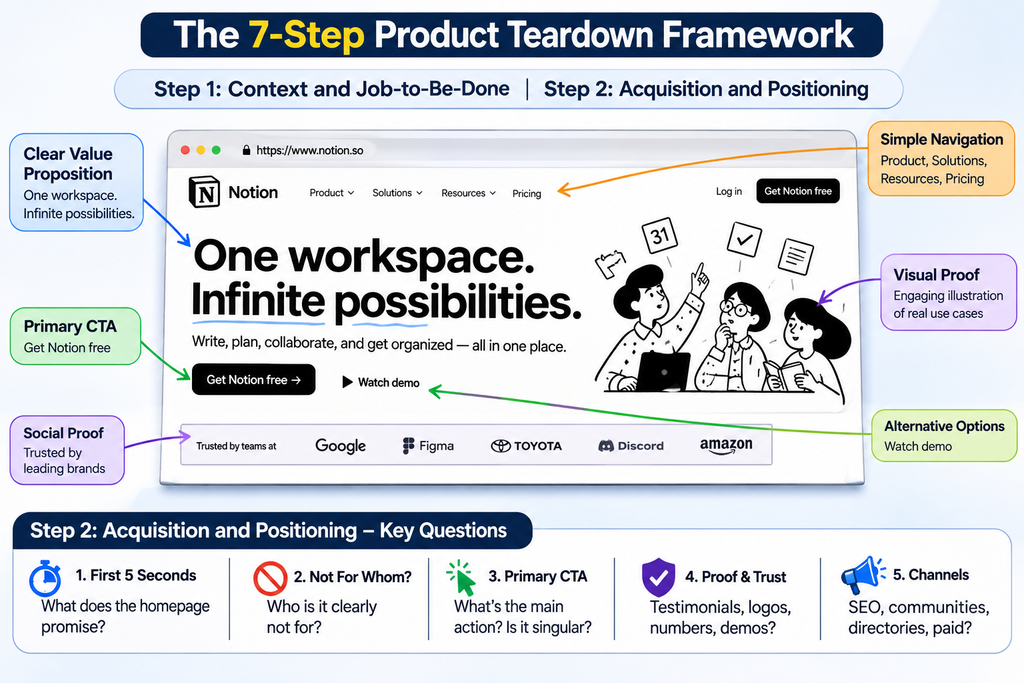
Step 2: Acquisition and Positioning
Look at how a stranger becomes a visitor and then a signup.
- What does the homepage promise in the first 5 seconds?
- Who is it clearly not for?
- What is the primary call to action, and is there only one?
- What proof is shown (testimonials, logos, numbers, demos)?
- Which channels does it appear to use (SEO, communities, directories, paid)?
Step 3: Onboarding and Activation
Sign up yourself and time it. Activation is the moment a user first gets real value, and the shorter the path to it, the better.
- How many steps and how many minutes from signup to first value?
- What is asked up front (and is any of it unnecessary)?
- Is there an empty state, a template, or sample data to avoid a blank screen?
- Where would a new user most likely quit?
Step 4: Core Loop and Feature Breakdown
Every good product has a core loop, the action users repeat to keep getting value. Map it: trigger → action → reward → return.
Then sort every feature into three buckets:
- Core: the product is useless without it.
- Supporting: makes the core loop faster or easier.
- Noise: adds clutter without serving the job.
Micro-SaaS products usually win by having a very small Core bucket done exceptionally well.
Step 5: UX/UI Critique
Now, and only now, comment on design, and tie every point to the user’s task.
- Navigation and information hierarchy: can I find the main action instantly?
- Friction points: extra clicks, unclear labels, confusing forms.
- Consistency: spacing, buttons, language.
- Mobile experience and speed.
- Accessibility basics: contrast, readable text, keyboard use.
For each issue, write Observation → Impact → Suggested fix.
Step 6: Monetization and Pricing
This is where teardowns become useful for builders.
- Pricing model: subscription, usage-based, one-time, freemium, or a mix?
- Number of tiers and what separates them (the “fence” between free and paid).
- Price anchoring: which tier is highlighted, and why?
- Estimated MRR range, using a simple assumption (visitors × conversion × price), clearly labeled as an estimate.
- Upsell and expansion paths.
Step 7: Retention and Roadmap Inference
Finally, step into the founder’s shoes.
- What keeps users coming back (habit, data lock-in, integrations, notifications)?
- What does the public changelog or recent releases tell you about direction?
- What are the top user complaints in reviews, forums, or support threads?
- If you were the Product Owner, what would the next 3 roadmap items be, and why?
The Scorecard: Turn Observations Into a Verdict
At the end of every teardown I score the product from 1 to 5 in each area. It forces a clear opinion and makes teardowns comparable over time.
| Area | Score (1-5) | One-line reason |
|---|---|---|
| Positioning clarity | ||
| Onboarding and activation | ||
| Core loop strength | ||
| UX/UI quality | ||
| Pricing and monetization | ||
| Retention potential |
Total: ___ / 30
Free Template: Copy and Use It
PRODUCT TEARDOWN: [Product name]
URL: ______ Date reviewed: ______
- CONTEXT
Job-to-be-done (one sentence): ______
Target user: ______
Stage / team size: ______
Top 3 alternatives: ______ - ACQUISITION & POSITIONING
Headline promise: ______
Primary CTA: ______
Proof used: ______
Likely channels: ______
Who it is NOT for: ______ - ONBOARDING & ACTIVATION
Steps to first value: ___ Time: ___ min
Friction points: ______
Empty state / templates: ______ - CORE LOOP & FEATURES
Trigger > Action > Reward > Return: ______
Core features: ______
Supporting features: ______
Noise: ______ - UX/UI CRITIQUE
Issue 1: Observation / Impact / Fix
Issue 2: Observation / Impact / Fix
Issue 3: Observation / Impact / Fix - MONETIZATION & PRICING
Model: ______ Tiers: ______
Free vs paid fence: ______
Estimated MRR (assumptions): ______
Upsell paths: ______ - RETENTION & ROADMAP
Retention drivers: ______
User complaints: ______
My next 3 roadmap items: 1) ___ 2) ___ 3) ___